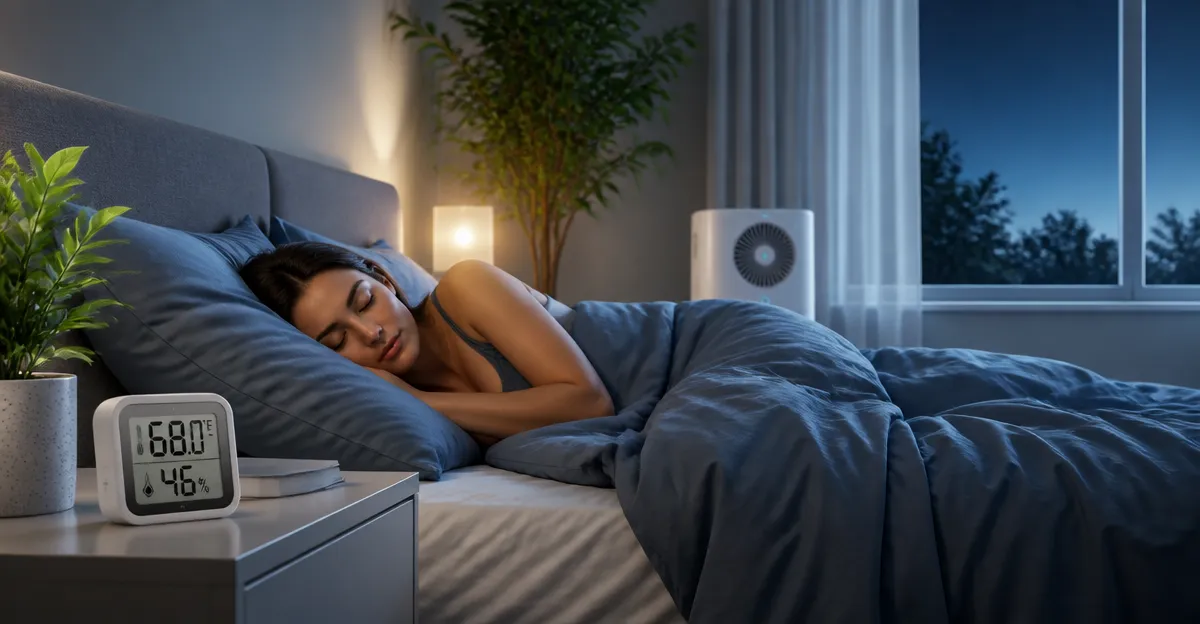
Best Bedroom Temperature for People Who Sleep Hot: The Ultimate Guide to Ideal °F/°C & Cooling Tips
Introduction
Sleeping in an environment that is too warm can disrupt the body’s natural thermoregulation, leading to frequent awakenings and reduced sleep quality. This guide explains the science behind optimal bedroom temperature, offers actionable cooling strategies, and recommends reliable hygrometers that help maintain the perfect climate for hot sleepers. Readers will learn how to measure temperature and humidity accurately, compare popular devices, and implement best‑practice habits for a cooler, more restorative night.
By the end of this article, one will understand the ideal temperature range in both Fahrenheit and Celsius, know which product best suits a given bedroom setup, and have a checklist of practical steps to keep the sleeping environment comfortable throughout the year.
Background & Context
The human body follows a circadian rhythm that includes a natural drop in core temperature during the early stages of sleep. When ambient temperature exceeds this drop, the body must work harder to dissipate heat, which can delay the onset of deep sleep and increase wakefulness. Research indicates that a bedroom temperature between 60°F and 67°F (15.5°C‑19.5°C) supports the greatest proportion of REM and slow‑wave sleep for most adults.
Humidity also plays a critical role. High relative humidity reduces the effectiveness of sweat evaporation, making the perceived temperature feel hotter. Maintaining a relative humidity level of 40%‑60% creates a comfortable environment that aids the body’s cooling mechanisms. Accurate measurement of both temperature and humidity is therefore essential for hot sleepers.
Modern hygrometers provide real‑time data, enabling users to adjust fans, dehumidifiers, or smart thermostats promptly. The following sections explore key concepts, product recommendations, and a systematic approach to selecting the right monitoring device.
Understanding Temperature, Humidity, and Comfort
Temperature is a direct measure of heat energy in the air, while humidity quantifies the amount of water vapor present. The combination of these two variables creates a perceived temperature, often expressed as the "heat index". For sleepers, the perceived temperature can be several degrees higher than the actual temperature when humidity is above 60%.
Comfort indicators, such as the face icons found on many hygrometers, provide an at‑a‑glance assessment of whether the environment is dry, comfortable, or wet. These visual cues simplify decision‑making for users who prefer quick adjustments without consulting detailed charts.
Because bedroom size, insulation, and airflow differ from room to room, it is advisable to place a hygrometer at the head of the bed, away from direct sunlight or drafts, to obtain the most representative reading.
Choosing the Right Hygrometer for a Hot‑Sleeper Bedroom
When selecting a monitoring device, three factors dominate the decision process: accuracy, refresh rate, and placement flexibility. The following products exemplify these criteria.
- TempPro TP49 Hygrometer – Offers +/-1°F temperature accuracy, a 10‑second refresh interval, and three mounting options (tabletop, magnetic, hanging). Its face‑icon comfort indicator helps hot sleepers quickly gauge whether to activate a fan or dehumidifier.
- TempPro TP50 Hygrometer – Provides similar accuracy with added high/low record tracking, useful for monitoring nightly temperature swings. The magnetic back and included AAA battery make installation effortless.
- Antonki 2‑Pack Hygrometer – Supplies two units for multi‑room monitoring, each with a large LCD, kickstand, and magnetic backing. The dual‑pack is ideal for couples who share a bedroom but prefer separate readings for each side of the bed.
- Ayawiss Digital Hygrometer – The most budget‑friendly option, featuring a compact design, 1‑hour trend graph, and a simple on/off switch. Its +/-1.8°F accuracy is sufficient for most home environments.
- Govee H5075 Bluetooth Hygrometer – Adds smart connectivity, remote alerts, and two‑year data storage. This model is perfect for tech‑savvy users who wish to integrate temperature data with home‑automation platforms.
Each device meets the core requirement of delivering reliable readings, yet they differ in additional features that may influence the final choice.
Comparison & Selection Guide
| Product | Price (USD) | Accuracy (Temp/Humidity) | Refresh Rate | Mounting Options | Smart Features | Rating |
|---|---|---|---|---|---|---|
| TempPro TP49 | 8.99 | ±1°F / ±2‑3%RH | Every 10 seconds | Tabletop, magnetic, hanging | None | 4.6/5 (62,638 reviews) |
| TempPro TP50 | 10.49 | ±1°F / ±2‑3%RH | Every 10 seconds | Tabletop, magnetic | None | 4.6/5 (154,898 reviews) |
| Antonki 2‑Pack | 8.97 (pack of 2) | ±2°F / ±5%RH | 3‑5 minutes to stabilize | Kickstand, magnetic, hanging loop | None | 4.5/5 (35,781 reviews) |
| Ayawiss Digital | 5.97 | ±1.8°F / ±5%RH | Continuous | Kickstand | None | 4.4/5 (1,673 reviews) |
| Govee H5075 | 12.99 | ±0.54°F / ±3%RH | Every 2 seconds | Magnetic, Bluetooth | App alerts, 2‑year storage | 4.5/5 (48,143 reviews) |
For hot sleepers who value simplicity, the TempPro TP49 or Ayawiss Digital models provide accurate readings without unnecessary complexity. Users who desire historical data and remote notifications should consider the Govee H5075. Families with multiple sleeping zones may find the Antonki 2‑Pack the most cost‑effective solution.
Best Practices & Cooling Tips for Hot Sleepers
- Set the thermostat within the recommended range. Aim for 60‑67°F (15.5‑19.5°C). If the HVAC system cannot achieve this, supplement with a portable fan or evaporative cooler.
- Control humidity. Use a dehumidifier to keep relative humidity between 40%‑60%. A hygrometer will alert you when levels rise above this threshold.
- Optimize bedding materials. Choose breathable fabrics such as cotton or linen. Avoid polyester blends that trap heat.
- Utilize strategic airflow. Position a fan to create a gentle cross‑draft. A ceiling fan set to counter‑clockwise rotation enhances the wind‑chill effect.
- Leverage night‑time cooling. Open windows for at least 15 minutes before bedtime if outdoor temperature is lower than indoor temperature. Close them once the room reaches the target range.
- Maintain HVAC filters. Clean filters improve airflow efficiency, allowing the system to reach lower temperatures more quickly.
- Monitor and adjust. Review hygrometer data each morning. If temperature spikes are observed, investigate sources such as electronic devices, lighting, or sunlight exposure.
Implementing these habits in conjunction with accurate monitoring creates a feedback loop that continuously refines the bedroom climate, leading to deeper, uninterrupted sleep for hot sleepers.
Frequently Asked Questions
1. What is the ideal bedroom temperature for someone who sleeps hot?
Most sleep experts recommend a range of 60‑67°F (15.5‑19.5°C). Within this window, the body can lower its core temperature without excessive effort.
2. How does humidity affect perceived temperature?
Higher humidity reduces the evaporation of sweat, making the air feel warmer than its actual temperature. Keeping humidity between 40%‑60% mitigates this effect.
3. Do I need a smart hygrometer with Bluetooth?
Smart features are optional. They are useful for users who want remote alerts or wish to integrate data with home‑automation platforms. For basic temperature control, a non‑connected device such as the TempPro TP49 suffices.
4. Can I use a single hygrometer for multiple rooms?
While a hygrometer can be moved, temperature and humidity can vary significantly across rooms. For accurate multi‑room monitoring, consider a dual‑unit set like the Antonki 2‑Pack.
5. How often should I calibrate my hygrometer?
Most digital hygrometers self‑calibrate on power‑up. For critical environments, compare readings with a known‑accurate reference (e.g., a professional weather station) once a month.
6. Is it safe to leave a hygrometer on overnight?
Yes. All listed devices use low‑power batteries or AAA cells that last months. The Govee H5075 also offers a rechargeable option.
7. Will a fan alone solve overheating?
A fan improves air movement but does not lower ambient temperature. Pair fans with temperature control (thermostat or AC) and humidity management for optimal results.
Conclusion
Achieving the ideal bedroom climate for hot sleepers requires a balanced approach that addresses both temperature and humidity. By maintaining a temperature between 60‑67°F (15.5‑19.5°C) and a relative humidity of 40%‑60%, one creates an environment that supports the body’s natural cooling processes. Accurate monitoring devices—such as the TempPro TP49, TempPro TP50, Antonki 2‑Pack, Ayawiss Digital, and Govee H5075—provide the data needed to make timely adjustments. Coupled with practical cooling strategies like airflow management, breathable bedding, and nightly ventilation, these tools empower hot sleepers to enjoy deeper, more restorative sleep.
Products Featured in This Guide
TempPro TP49 Hygrometer
Price: $8.99 | Rating: 4.6/5 (62,638 reviews)
Featured for its high accuracy (+/-1°F, +/-2‑3%RH), rapid 10‑second refresh, and three versatile mounting options, making it ideal for precise bedroom monitoring.
TempPro TP50 Hygrometer
Price: $10.49 | Rating: 4.6/5 (154,898 reviews)
Includes high/low records and a magnetic back, providing continuous data for users who track nightly temperature trends.
Antonki 2‑Pack Hygrometer
Price: $8.97 (pack of 2) | Rating: 4.5/5 (35,781 reviews)
Provides two units with magnetic and kickstand options, perfect for monitoring multiple sleeping zones or a shared bedroom.
Ayawiss Digital Hygrometer
Price: $5.97 | Rating: 4.4/5 (1,673 reviews)
A budget‑friendly choice with a compact design, 1‑hour trend graph, and simple on/off operation, suitable for occasional bedroom monitoring.
Govee H5075 Bluetooth Hygrometer
Price: $12.99 | Rating: 4.5/5 (48,143 reviews)
Offers Bluetooth connectivity, real‑time alerts, and two‑year data storage, making it ideal for tech‑oriented users who want remote monitoring.