How to Integrate Smart Bed Cooling with Home Automation: The Complete Step‑by‑Step Guide
Introduction
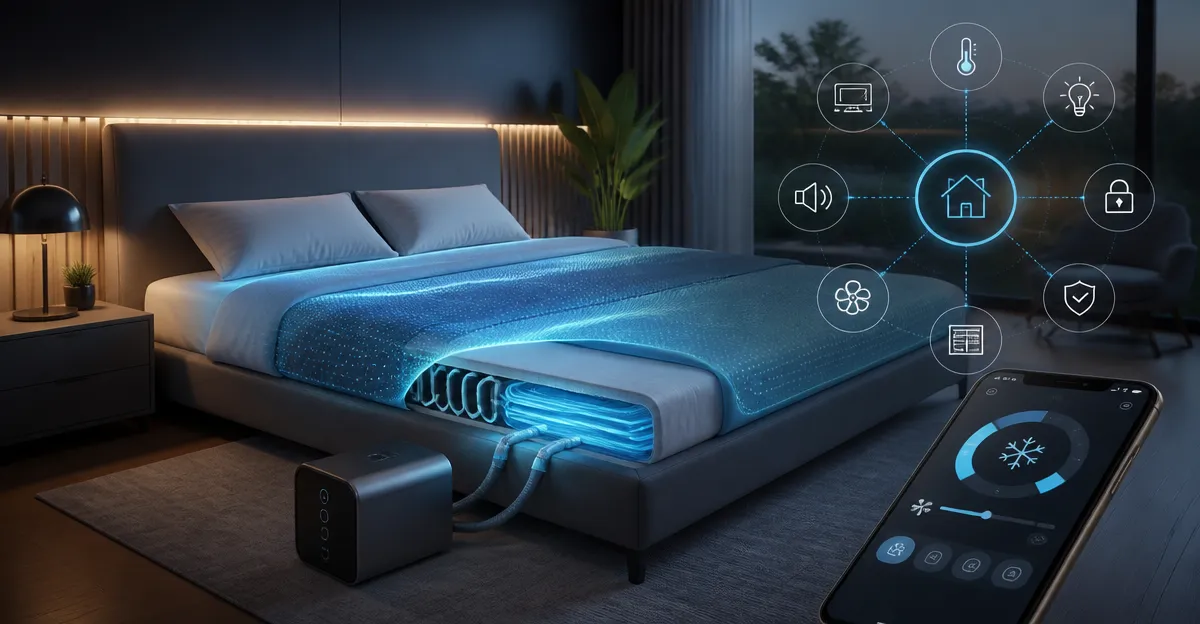
Modern sleepers increasingly seek technology that regulates temperature while fitting seamlessly into a connected home. This guide explains how to combine smart bed‑cooling solutions with popular automation platforms, enabling precise climate control throughout the night. Readers will learn essential concepts, evaluate top‑rated cooling products, and follow a detailed implementation plan that works with Alexa, Google Home, or Apple HomeKit. By the end of this article, one will be able to design a reliable, energy‑efficient cooling system that improves sleep quality without sacrificing convenience.
Background and Context
Thermoregulation plays a crucial role in sleep architecture; even a few degrees of excess heat can fragment REM cycles and increase awakenings. Traditional air‑conditioning addresses room temperature but often fails to cool the micro‑environment directly surrounding the body. Bed‑level cooling devices, such as water‑circulated mattress pads, breathable blankets, and under‑sheet fans, target heat at its source, delivering up to a 12 °F temperature drop. When these devices expose an API or support Wi‑Fi, they become eligible for integration with home automation hubs, allowing schedules, voice commands, and sensor‑driven adjustments.
Automation platforms provide three core capabilities that enhance cooling performance: (1) time‑based triggers that align cooling with bedtime, (2) environmental feedback from temperature or humidity sensors, and (3) remote control via voice assistants. Understanding these capabilities helps users select devices that expose the necessary controls, such as speed settings, water‑flow levels, or power states.
Understanding Smart Bed Cooling Technologies
Smart cooling solutions fall into three categories: water‑circulated mattress pads, advanced cooling blankets, and directed airflow fans. Each category offers distinct advantages, limitations, and integration pathways.
- Water‑Circulated Mattress Pads use chilled water pumped through silicone tubes to lower the mattress surface temperature. They typically include a remote or app for speed selection and may expose a simple on/off API.
- Cooling Blankets employ phase‑change fibers or moisture‑wicking fabrics that absorb body heat and release it slowly. Some models feature dual‑side designs for summer and winter comfort, though they often lack direct digital control.
- Bed Cooling Fans mount beneath the sheets and push cool air across the sleeping surface. They frequently include rechargeable batteries, multiple speed settings, and a remote control that can be replaced with smart plugs.
When choosing a product for automation, prioritize devices that either provide a native smart API (e.g., Wi‑Fi enabled) or can be paired with a smart plug that offers power‑state control. The following sections recommend specific products that meet these criteria.
Integrating Cooling Systems with Home Automation Platforms
Integration begins with confirming network connectivity. Devices that ship with a companion app usually require Wi‑Fi setup; follow the manufacturer’s onboarding guide to connect the unit to the home router. Once online, check whether the app offers a public API or if the device appears in the Alexa or Google Home ecosystems. If not, a smart plug can provide indirect control by toggling power, while a temperature sensor can trigger actions based on ambient data.
Below are step‑by‑step instructions for three common integration scenarios.
Scenario 1: Direct API Integration with the Adamson B10 Bed Cooling System Twin
The Adamson B10 Bed Cooling System Twin includes a remote with four fan speeds and a water‑level indicator. Although the unit does not ship with built‑in Wi‑Fi, users can connect the remote’s power outlet to a smart plug such as the Amazon Smart Plug. Create a routine in Alexa that powers the plug on at bedtime and off after eight hours. Pair the plug’s power‑state with a temperature sensor placed on the mattress surface; if the sensor reads above 78 °F, the routine can increase the fan speed by sending a simulated button press via a Zigbee controller (many smart plugs support button emulation). This approach maintains the device’s low‑cost advantage while still offering automated control.
Scenario 2: Smart Plug Control for the Purezing Bed Cooling Fan
The Purezing Bed Cooling Fan features a rechargeable battery and a remote, but it also includes a standard 120 V AC input for continuous operation. Plug the fan into a Wi‑Fi smart plug, then create a schedule that aligns with the user’s sleep window. Use the fan’s five speed settings manually, or employ a Home Assistant automation that cycles speeds based on a humidity sensor: lower humidity triggers higher speeds to compensate for reduced evaporative cooling.
Scenario 3: Sensor‑Driven Automation with Cooling Blankets
While the Everlasting Comfort Cooling Blanket does not contain electronics, it can be paired with a smart thermostat that monitors bedroom temperature. Set the thermostat to lower the ambient temperature by 2 °F when the blanket is in use, reducing the overall heat load on the sleeper. Additionally, a motion sensor can detect when the user gets into bed; this event can trigger a smart plug that powers a small fan or the bedroom’s AC unit, creating a layered cooling strategy.
Choosing the Right Cooling Product for Your Automation Needs
Selecting a product involves balancing performance, ease of integration, and budget. The table below summarizes the key specifications of each recommended device.
| Product | Cooling Method | Speed Settings | Price (USD) | Rating | Automation Compatibility |
|---|---|---|---|---|---|
| Adamson B10 Twin | Water‑circulated mattress pad | 4 fan speeds | 224.95 | 3.9/5 (669 reviews) | Smart plug integration, sensor‑driven routines |
| Everlasting Comfort Blanket | Dual‑side cooling fibers | 2 (cool vs. warm side) | 29.98 | 4.4/5 (3,332 reviews) | Thermostat & motion sensor coordination |
| Purezing Bed Cooling Fan | Under‑sheet airflow fan | 5 speeds + timer | 105.99 | 2.2/5 (6 reviews) | Smart plug, humidity‑based automation |
| Topcee Cooling Blanket | Arc‑chill fiber technology | Dual‑side | 26.99 | 4.2/5 (4,074 reviews) | Works with thermostat, no direct API |
| Adamson B10 Twin (2024 Model) | Water‑circulated mattress pad | 4 fan speeds | 224.95 | 4/5 (197 reviews) | Smart plug, improved water‑level sensor |
For users who prioritize precise temperature control and are comfortable performing occasional water refills, the Adamson B10 models provide the most substantial cooling effect, dropping mattress temperature by 7‑12 °F. Budget‑conscious sleepers may prefer the Everlasting Comfort Blanket or Topcee Blanket, which require no power source and still deliver noticeable cooling through advanced fibers. The Purezing fan is best suited for couples who need individualized airflow on one side of the bed.
Best Practices & Tips for Seamless Automation
Implementing a reliable cooling system involves more than simply plugging a device into a smart outlet. Follow these expert recommendations to ensure long‑term performance.
- Position the cooling unit above the mattress level. Both Adamson models advise placing the water reservoir higher than the pad to maintain adequate flow; a sturdy nightstand or a dedicated platform works well.
- Use a dedicated water source. Fill the reservoir with distilled or reverse‑osmosis water to minimize mineral buildup, as highlighted by multiple user reviews.
- Schedule maintenance windows. Perform a monthly cleaning routine using a vinegar solution to dissolve calcium deposits, mirroring the steps described by experienced reviewers.
- Integrate humidity sensors. In dry climates, the water evaporates quickly, requiring more frequent refills. Pair a humidity sensor with your automation to send a reminder when relative humidity drops below 40 %.
- Leverage voice assistants for quick adjustments. Create custom Alexa routines such as “Good Night” that simultaneously powers the cooling pad, lowers bedroom lights, and sets the thermostat to a comfortable range.
- Protect against spills. Place the reservoir on a waterproof tray; this precaution was recommended by reviewers who experienced accidental overflows.
Frequently Asked Questions
1. Can I control the Adamson B10 pad directly from Alexa? The pad does not have native Alexa support, but connecting its power cord to a smart plug enables on/off control and can be combined with temperature sensors for indirect speed adjustments.
2. How often should I refill the water reservoir? Most users refill nightly to maintain optimal cooling, especially in low‑humidity environments. Automation can trigger a reminder notification based on sensor data.
3. Will the Purezing fan work with a battery when the smart plug is off? Yes; the fan’s internal 10,000 mAh battery provides up to 6 hours of operation, allowing it to continue cooling even if the plug is powered down for safety.
4. Are cooling blankets safe for people with skin sensitivities? Both Everlasting Comfort and Topcee blankets use soft, breathable fibers that are hypoallergenic. Users with extreme sensitivities should perform a patch test before full‑night use.
5. How does a dual‑side blanket differ from a single‑side design? Dual‑side blankets offer a cool side for hot nights and a warmer side for cooler evenings, providing year‑round versatility without additional devices.
6. Can I integrate these devices with Apple HomeKit? Direct HomeKit support is limited; however, using a HomeKit‑compatible smart plug (e.g., Eve Energy) allows basic power control and can be combined with HomeKit automations.
7. What is the expected lifespan of a water‑circulated cooling pad? Manufacturers provide a five‑year assurance, and many users report reliable performance beyond that period with regular maintenance.
Conclusion
Integrating smart bed cooling into a home automation ecosystem delivers measurable sleep improvements while reducing reliance on whole‑room air‑conditioning. By selecting a product that aligns with one’s budget, maintenance willingness, and automation preferences, users can create a personalized climate‑control loop that responds to real‑time sensor data and voice commands. The strategies outlined in this guide empower readers to implement a reliable, energy‑efficient solution that adapts to seasonal changes and evolving sleep needs.
Products Featured in This Guide
Adamson B10 Bed Cooling System Twin
Price: $224.95 | Rating: 3.9/5 (669 reviews)
Featured for its water‑circulated cooling technology, 4 fan speeds, and 5‑year assurance, making it ideal for deep integration with smart plugs.
Everlasting Comfort Cooling Blanket
Price: $29.98 | Rating: 4.4/5 (3,332 reviews)
Featured for its dual‑side icy‑cool fibers, machine‑washable construction, and affordability, providing passive cooling without electrical components.
Purezing Bed Cooling Fan
Price: $105.99 | Rating: 2.2/5 (6 reviews)
Featured for its under‑sheet airflow design, five adjustable speeds, and rechargeable battery, allowing targeted cooling for one side of the bed.
Topcee Cooling Blanket
Price: $26.99 | Rating: 4.2/5 (4,074 reviews)
Featured for its Arc‑chill fiber technology with a Q‑max >0.5, offering long‑lasting coolness and a lightweight feel suitable for hot sleepers.
Adamson B10 Bed Cooling System Twin (2024 Model)
Price: $224.95 | Rating: 4/5 (197 reviews)
Featured as an updated version with a slightly higher rating, reinforcing its reputation for effective cooling and robust warranty support.